Backdash
Introduction
Backdash is a multiplayer networking SDK that helps you add rollback netcode to a game.
Backdash began as a .NET port inspired by GGPO, a rollback netcode SDK written in C++. It can be used with game engines that support .NET languages such as C# and F#, including Godot, MonoGame, and Stride. This avoids the need to bind the game to GGPO's native C++ library.
Backdash also provides configurable session options and extension points through
NetcodeOptions and
SessionServices.
Note
Backdash currently targets .NET 10. Unity 6's documented API compatibility profiles target .NET Standard 2.1 or .NET Framework 4.8, so the Backdash package cannot be assumed to work in a Unity project as-is. Check Unity's .NET profile support and the requirements of your Unity version and build target.
How Does It Work?
Rollback networking works best with a deterministic peer-to-peer game simulation. If every peer starts from the same state and processes the same inputs in the same order, each peer should produce the same game state. A traditional lockstep approach waits for every peer's input before simulating a frame. Network delay can make that approach feel unresponsive.
With rollback, the game can simulate using local inputs and predictions for remote inputs that have not arrived yet. When the actual inputs arrive, Backdash compares them with the predictions. If they differ, it restores an earlier game state and re-simulates the affected frames. This reduces input delay, although incorrect predictions can cause visible corrections and the simulation may still pause when its prediction limit is reached.
Don't worry if that sounds like a headache. Backdash was designed specifically to implement the rollback algorithms and low-level networking logic in a way that's easy to integrate into your existing game loop. If you simply implement the functionality to save your game state, load it back up, and execute a frame of game state without rendering its outcome, Backdash can take care of the rest.
Learning resources
More information about how it works and why it is good:
- Analysis: Why Rollback Netcode Is Better (video).
- Infil's Netcode Article.
- Talking Rollback Netcode With Adam "Keits" Heart (video).
- GDC Rollback Networking in Mortal Kombat and Injustice 2 (video).
- EVO 2017: GGPO panel (video).
- Fight the Lag! The Trick Behind GGPO's Low Latency Netcode
- Cross Counter LIVE feat. Mike Z (video).
Demos
| Title | Link |
|---|---|
| Terminal |  |
| Monogame Local |  |
| Monogame Lobby |  |
| Godot Lobby |  |
| Save/Load Replay |  |
| Fighting Game | 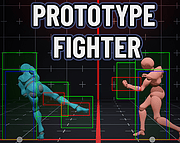 |
Sample Applications
Check the samples on the samples directory:
There are examples for up to 4 players:
- Simple console game
- Monogame SpaceWar 1
- Monogame SpaceWar with lobby over the internet 2 1
- Godot SpaceWar with lobby over the internet
Note
For simplicity, those samples uses float and the floating-point Vector2/Vector3 types.
Floating-point operations can produce different results across platforms or architectures, which can affect determinism.
For stronger determinism, integer or fixed-point (e.g. FixN) arithmetic is preferable.
-
If you are using ARM macOS, you may need the x64 version of .NET SDK to build some samples.↩↩
-
The sample needs a web server to exchange players' addresses. check the sample
README.mdfor more information.↩